Real-Time Meeting Translation & AI Notes | Hi Translate
Hi Translate
2026-07-18 · 7 min read
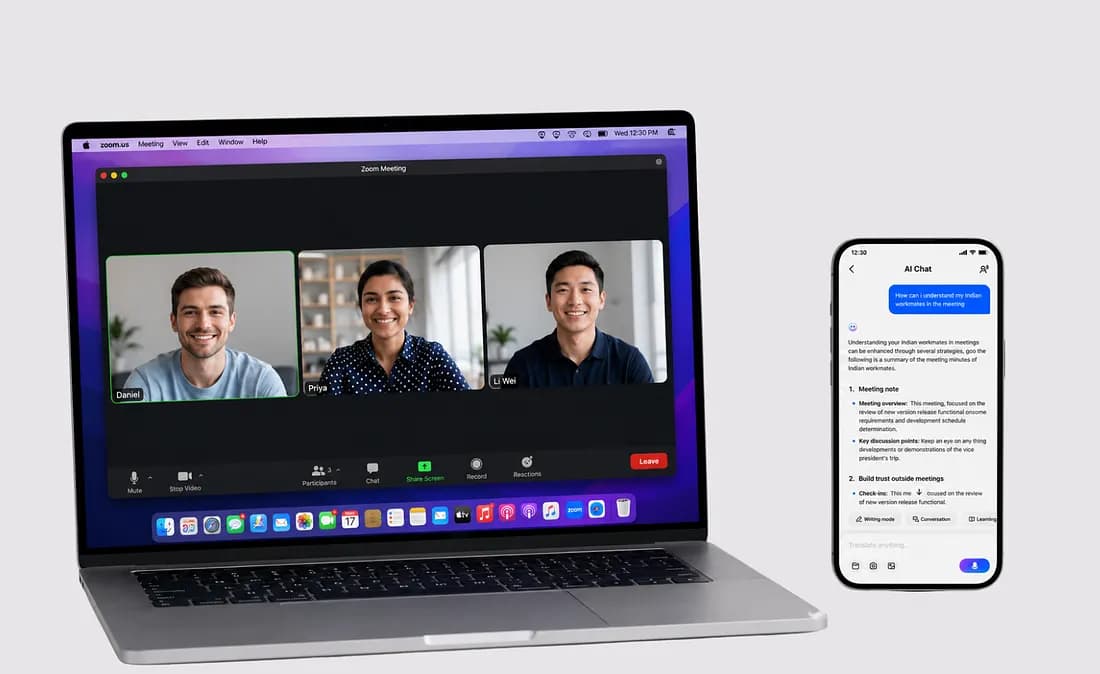
If you’ve ever walked out of a cross-language meeting thinking “I think I got the main points,” you already know the problem.
It’s not that you didn’t understand anything. It’s that you can’t be sure you caught everything. And in business, the thing that derails deals is rarely what you missed on purpose — it’s what you didn’t realize you missed.
Here’s a common scenario: a Series A pitch with a Japanese investor. The conversation is flowing for the first 30 minutes. Then the partner mentions milestone-based tranches tied to a specific revenue target. You catch “milestone” and “revenue,” so you nod along and assume you’re on the same page.
Two weeks later, the term sheet arrives with conditions stricter than you remembered. That five-second gap — where you were processing what was just said while the next sentence was already landing — cost time, leverage, and trust.
This is why most translation apps don’t actually solve the problem. They tell you what a sentence means. But they don’t help you track an entire conversation — the thread, theconditions, the things that get decided while you’re still processing what was just said.
Hi Translate is designed to support the full meeting workflow
Most translation tools assume your problem is a language barrier at a single moment in time. Our approach is different: your real constraint is cognitive load across an entire conversation.
When you’re speaking a non-native language in a high-stakes meeting, part of your brain is translating, part is listening for meaning, part is thinking about what to say next, and part is trying to keep track of what’s already been decided. Something gives. Usually it’s the details.
Hi Translate’s Meeting mode is built for exactly this. Open the app, visit the web version, or join directly from your browser — pick what works for your setup. From there:
- You see both the original speech and the translation in real time.
- The app keeps a running transcript as you talk.
- After the meeting, you get a structured summary from the transcript.
One flow. No switching between a translator, a recorder, and a notebook.
Meeting Mode: Stay in the conversation without falling behind
The core constraint in any cross-language meeting is this: you can’t pause the other person every 30 seconds to clarify. That breaks rapport and slows everything down.
What you need is a way to keep up without interrupting.
In Meeting mode, Hi Translate runs continuous speech recognition and translation side by side, so you see both the original words and what they mean while the conversation keeps moving. When someone mentions a number, a date, a condition, or a name, you can check it on screen without losing the thread. Use it on your phone during in-person meetings, or on your laptop for video calls — the experience stays consistent either way.
Use it for:
- Investor pitches and due diligence calls
- Sales meetings with overseas prospects
- Cross-border team standups and reviews
- Supplier negotiations
- Webinars and conference panels where you need to follow along in real time
The point isn’t to replace your ears. It’s to give your brain one less thing to juggle so you can think strategically during the meeting instead of spending all your attention on translation.
Interview Mode: Face-to-face conversations, handled
Interview mode is designed for two people speaking different languages face to face.
Put the phone on the table between you. One person speaks, the translation appears, and the other responds. It’s designed for turn-taking and direct conversation without requiring headphones — so you’re looking at the person across from you, not down at a screen.
Use it when you’re:
- Meeting a potential hire in person
- Conducting an in-person user interview
- Negotiating with a supplier on-site
- Conducting formal business, academic, or field interviews
- Traveling and having substantive conversations beyond basic phrases
Recording Mode: Long conversations without the replay tax
Most people never listen to their meeting recordings. Not because they don’t want to, but because replaying an hour-long conversation to find a two-minute segment is a poor use of time.
Join The Writer's Circle event
Recording mode transcribes as you go. The value isn’t only the audio file — it’s the text. Access your recordings and transcripts from either the mobile app or the web dashboard, so you can review on whatever device you’re already using.
After a long meeting, workshop, lecture, or interview, you can:
- Search for a specific topic such as “delivery timeline,” “budget cap,” or “Q3.”
- Scan the full conversation in minutes instead of hours.
- Copy and share relevant sections without sending someone a long audio file.
Post-meeting summaries: From transcript to action
A transcript is useful. But nobody wants to spend an hour reading through a wall of text after a meeting. What you actually need is a clear plan for what comes next.
The moment the meeting ends, Hi Translate automatically processes the full conversation and surfaces a structured summary with:
- Key decisions made
- Action items and ownership
- Open questions that still need resolution
- Important numbers, dates, and conditions mentioned
- Topics discussed
Instead of scrolling through pages of dialogue to reconstruct consensus, you get a clearer view of what moved forward, what remains undecided, and what needs attention next.
Ask follow-up questions about what was just said
The summary isn’t the end of the interaction. Inside the Assistant — on mobile or web — you can ask specific questions about your meeting:
- “What were the investor’s main concerns about our burn rate?”
- “Did the client agree to the September delivery date or push back?”
- “Pull every mention of pricing from this conversation.”
- “What objections did the candidate raise during the interview?”
- “Draft a follow-up email based on today’s discussion.”
The Assistant works from your meeting, your transcript, and your context, giving you a way to retrieve details without re-reading the entire transcript.
Why not just use Zoom’s captions? Or Otter?
These tools solve adjacent problems, but they are not all designed around the same cross-language meeting workflow.
Zoom captions can be useful for live understanding, but searchable transcripts and translation features depend on the plan and meeting setup. Zoom also works within the Zoom environment, so it may not cover in-person meetings, phone calls, or other platforms.
Otter is well known for English transcription and post-meeting documentation. If your meeting is already in English and your main need is note-taking, it may be a strong option. If your main challenge is following a conversation while it is happening in another language, Hi Translate is designed around that moment.
Notion AI is primarily a workspace and knowledge-management layer. It works best when your meeting information has already been captured and organized.
Hi Translate sits in a different spot: it is designed for meetings where language affects your ability to follow the conversation in real time, then review and use the record afterward. And unlike tools locked to a single device, your meetings, transcripts, and summaries are available whether you’re on your phone, your laptop, or picking up where you left off on another device.
If your meetings are already in your native language, you don’t need this. If they’re not, nothing else is built specifically for this workflow.
Start your next cross-language meeting with clarity
Download the Hi Translate app or open the web version on your laptop. Try Meeting mode on your next call. Check the current new-user offer to see what is included.
The goal is not to make you dependent on a tool. It is to make cross-language meetings feel as straightforward as any other meeting: no second-guessing, no “I think they said…,” and no discovering what you missed weeks later.
Just a clear conversation, start to finish, with a record you can actually use afterward — wherever you are.
مقالات ذات صلة
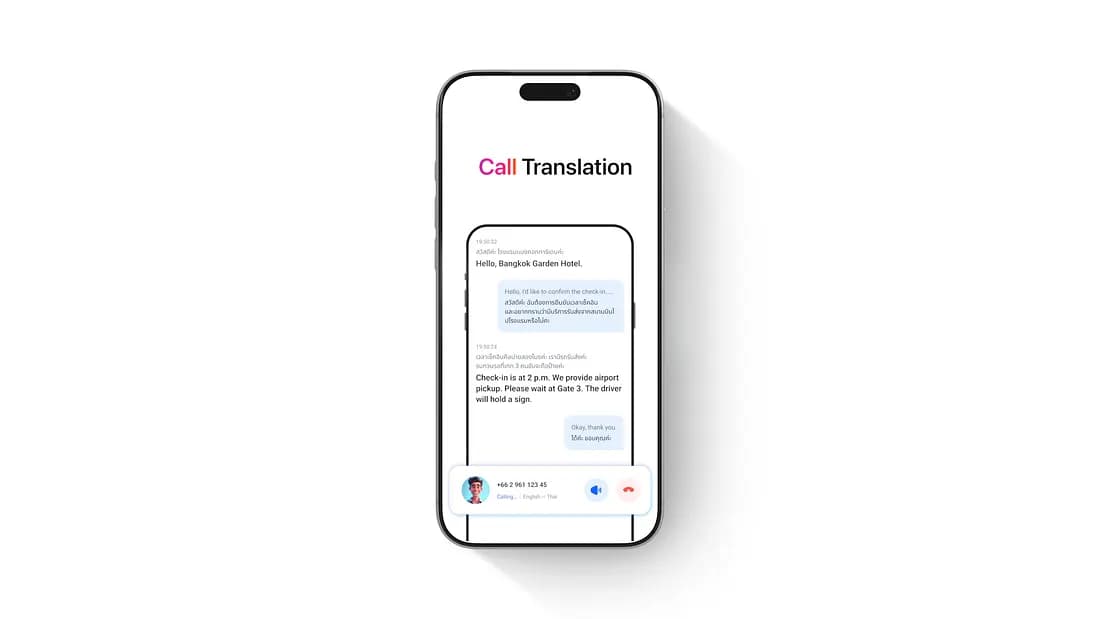
Hi Translate: Call Any Hotel Abroad in Your Own Language
You’ve booked a hotel in Bangkok. The day before departure, you want to call and confirm two things: what time check-in starts, and how to get from the airport to the hotel.
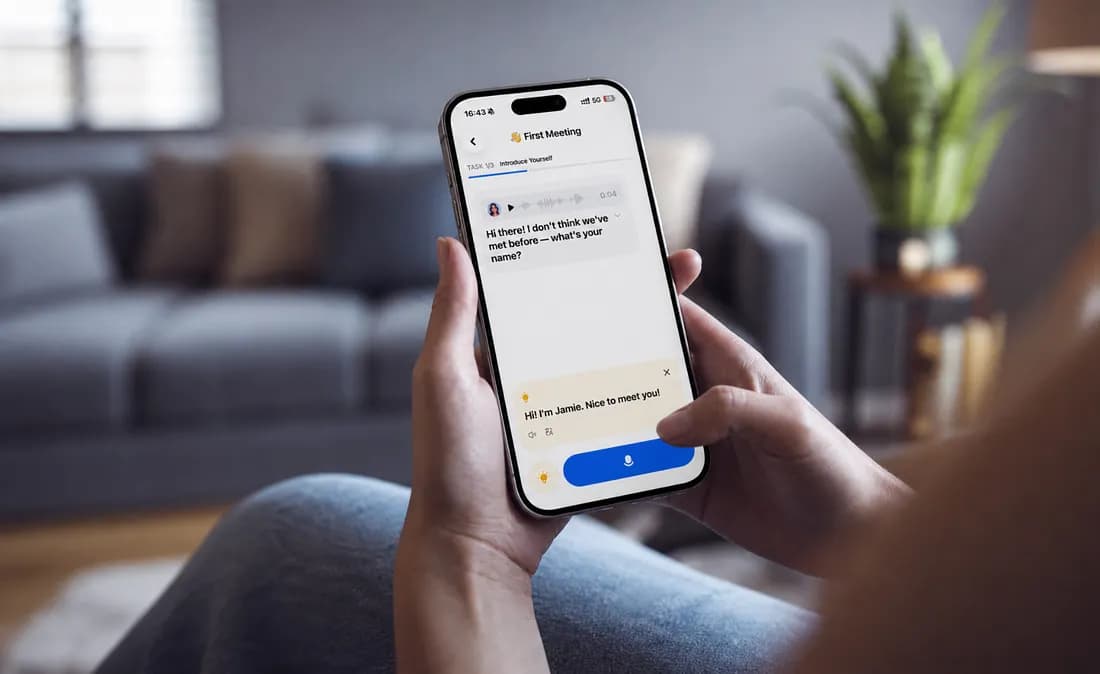
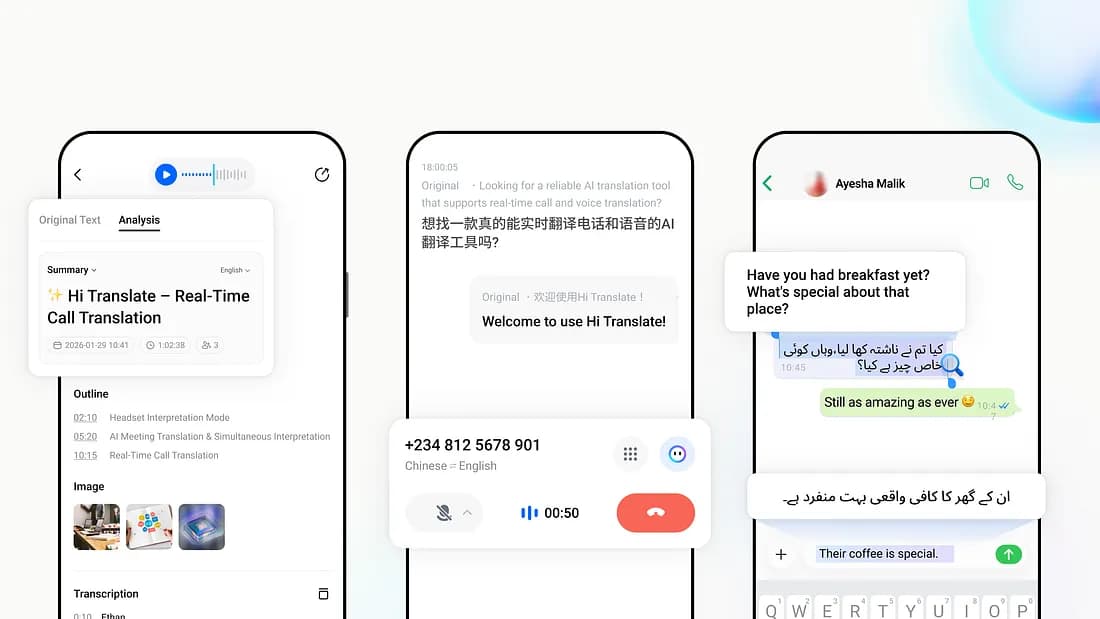
Hi Translate 6.0: A Multilingual AI Translation Agent
SHENZHEN, June 25, 2026 --- Hi Translate, the AI-powered multilingual communication platform developed by TRANSSION, today announced the launch of Hi Translate 6.0, marking a major evolution from a traditional translation tool to a Multilingual AI Agent.