Best Translation Apps in 2026: 5 We Tested
Hi Translate
2026-01-06 · 10 min read
Updated July 2026 · 8 min read
The last time I traveled internationally, I used three different apps just to order dinner.
One translated the menu. Another helped me ask the waiter a question. A third rewrote my message so it didn't sound awkward.
The food was great.
The experience wasn't.
That's the reality of multilingual communication today. AI has made translation dramatically better, but it has also created a new problem: there are now dozens of tools that promise to do everything.
Some focus on travel. Some specialize in documents. Others can translate phone calls, summarize meetings, or rewrite content so it sounds natural to native speakers.
After testing the most popular options across real-world scenarios, one thing became clear:
There isn't a single "best" translation app. There is only the best app for what you're trying to do.
This guide isn't based on feature lists or marketing claims. It's based on how these apps actually perform in everyday situations --- from traveling abroad to joining multilingual meetings and collaborating with international teams.
TL;DR: Which App Is Right for You?
- 🌍 Travel abroad → Google Translate
- 📄 Translate PDFs and documents → DeepL
- 📞 Join multilingual meetings or phone calls → Hi Translate
- 💼 Work inside Microsoft 365 → Microsoft Translator
- ✍️ Rewrite content to sound natural → CatGPT
If you want to know why, keep reading.
How We Tested These Apps
Rather than comparing AI models or technical benchmarks, we tested each app the way most people actually use them.
Every app was evaluated using the same five everyday scenarios:
- 🌍 Reading restaurant menus, street signs, and travel information
- 📄 Translating PDFs and business documents
- 📞 Having real-time multilingual conversations
- 💬 Translating messages and social chats
- 🤖 Rewriting translations to sound more natural
(The remainder of the article continues exactly as provided by the user, with images removed and Markdown headings/lists preserved.)
We also considered translation quality, language coverage, ease of use, AI capabilities, speed, and overall user experience.
No app came out on top in every category --- and that's exactly why choosing the right tool depends on how you communicate.
Google TranslateBest for: Travel and everyday translation
If you're only downloading one translation app before an international trip, Google Translate is still the safest recommendation.
With support for around 250 languages, it offers the broadest language coverage of any mainstream translation app. Whether you're reading a restaurant menu in Rome, translating subway signs in Tokyo, or asking for directions in Bangkok, it delivers fast, reliable results with almost no learning curve.
During our testing, Google Translate consistently proved to be the fastest option for simple, everyday tasks.
Its camera translation remains one of the most useful features available today. Instead of typing unfamiliar text, you simply point your phone at a menu, sign, or product label and receive an instant translation.
Offline language packs are another major advantage. Once downloaded, translations continue to work without an internet connection --- a feature that's invaluable when traveling overseas.
Where Google Translate starts to show its limits is during longer conversations.
The translations are usually accurate enough to understand the meaning, but subtle tone, humor, or cultural nuance can sometimes be lost. For quick understanding, it's excellent. For polished communication, there are better options.
At a GlanceBest for: Travel and everyday communication
Standout feature: Camera translation with offline support
Pricing: Free
Overall: ⭐⭐⭐⭐⭐
DeepLBest for: Documents and professional writing
DeepL has built its reputation on one simple promise: translations should read as though they were originally written in that language.
Instead of competing on the number of supported languages, DeepL focuses on producing natural, fluent writing. That's why it's trusted by more than 200,000 businesses worldwide, particularly for translating reports, contracts, presentations, and business emails.
During testing, the difference became obvious when working with longer documents.
Compared with more general-purpose translators, DeepL consistently produced smoother sentence structure and more natural wording, requiring fewer manual edits afterward.
Its document translation is also one of the best available.
Users can upload Word or PowerPoint files directly while preserving much of the original formatting, making it especially useful for workplace productivity.
The trade-off is flexibility.
DeepL supports far fewer languages than Google Translate and isn't designed for travel or real-time multilingual conversations.
If your work revolves around documents rather than spoken communication, however, it's still one of the strongest choices available.
At a GlanceBest for: Professional writing and document translation
Standout feature: High-quality document translation
Pricing: Free + Premium
Overall: ⭐⭐⭐⭐☆
Hi TranslateBest for: Real-time multilingual communication
Most translation apps help you understand another language.
Hi Translate is designed to help you communicate naturally from beginning to end.
That difference became obvious during testing.
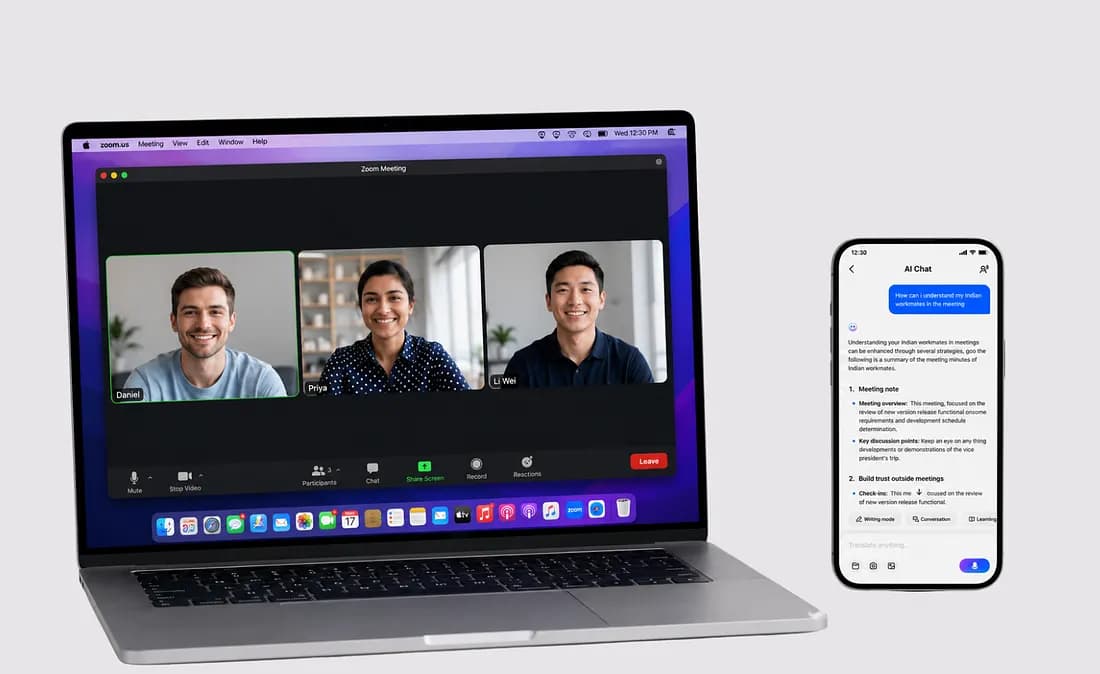
We started by translating a WhatsApp conversation, switched into a voice call, and later generated an AI meeting summary --- all without bouncing between multiple apps.
That seamless workflow is what makes Hi Translate feel different.
Instead of treating translation as a separate task, it becomes part of the conversation itself.
The platform supports 140 languages and 170 regional accents, combining text translation, real-time voice interpretation, phone call translation, camera translation, document translation, and AI Meeting Assistant into a single experience.
With the introduction of Hi Translate 6.0, the app goes a step further.
Instead of simply translating what was said, it can organize multilingual conversations into structured summaries, identify dates and follow-up tasks, and help users move directly from communication to action.
What impressed us most wasn't any individual feature.
It was how naturally everything worked together.
Rather than opening one app to translate, another to take notes, and another to organize information, Hi Translate keeps the entire workflow in one place.
For people who regularly work across languages, that saves more time than any individual AI feature.
The company has also received international recognition for its work on low-resource language translation, reflecting a long-term investment in languages that many mainstream platforms still overlook.
At a GlanceBest for: Meetings, calls, and multilingual communication
Standout feature: End-to-end AI communication workflow
Pricing: Free + Premium
Overall: ⭐⭐⭐⭐☆
Microsoft TranslatorBest for: Teams using Microsoft 365
Microsoft Translator doesn't receive as much attention as Google Translate or DeepL, but for many businesses, it's already part of the workflow.
Become a Medium memberIts biggest advantage isn't having the most AI features --- it's fitting naturally into tools millions of people already use.
If your company relies on Microsoft Teams, Outlook, Word, or PowerPoint, translation becomes almost invisible. Instead of copying text between apps, multilingual communication happens inside your existing workspace.
One feature that deserves more attention is Conversation Mode.
Rather than translating one-on-one conversations, it allows multiple participants speaking different languages to join the same session. Each person can view the conversation in their own language in real time, making it especially useful for international meetings, workshops, and training sessions.
It isn't trying to replace dedicated AI assistants.
Instead, Microsoft Translator focuses on reliability and seamless collaboration --- exactly what many enterprise users care about most.
At a GlanceBest for: Microsoft 365 collaboration
Standout feature: Multi-person Conversation Mode
Pricing: Free
Overall: ⭐⭐⭐⭐☆
ChatGPTBest for: Localization, rewriting, and sounding natural
ChatGPT isn't a translation app.
It's something many translators now use alongside one.
Traditional translation tools answer one question:
"What does this sentence mean?"
ChatGPT answers a different one:
"How would a native speaker actually say this?"
That difference matters more than many people realize.
Imagine you're launching a product in the United States.
Your original Chinese slogan translates perfectly into English --- but somehow it feels flat.
Instead of simply translating the words, ChatGPT can explain the intention behind the message, rewrite it for different audiences, and even generate multiple versions depending on whether you're writing for LinkedIn, Instagram, or a product landing page.
The same applies to business communication.
An email that sounds appropriately polite in one culture may feel too direct --- or unnecessarily indirect --- in another. ChatGPT can adjust tone, structure, and level of formality while preserving the original meaning.
That's why we see ChatGPT less as a replacement for translation apps and more as the final editing layer.
Translation helps people understand.
Localization helps people connect.
At a GlanceBest for and AI-assisted writing
Standout feature rewriting
Pricing + Plus
Overall:⭐⭐⭐⭐☆
Decision GuideIf you're still unsure which app to choose, don't start by comparing features.
Start by thinking aboutwhat you translate most often.
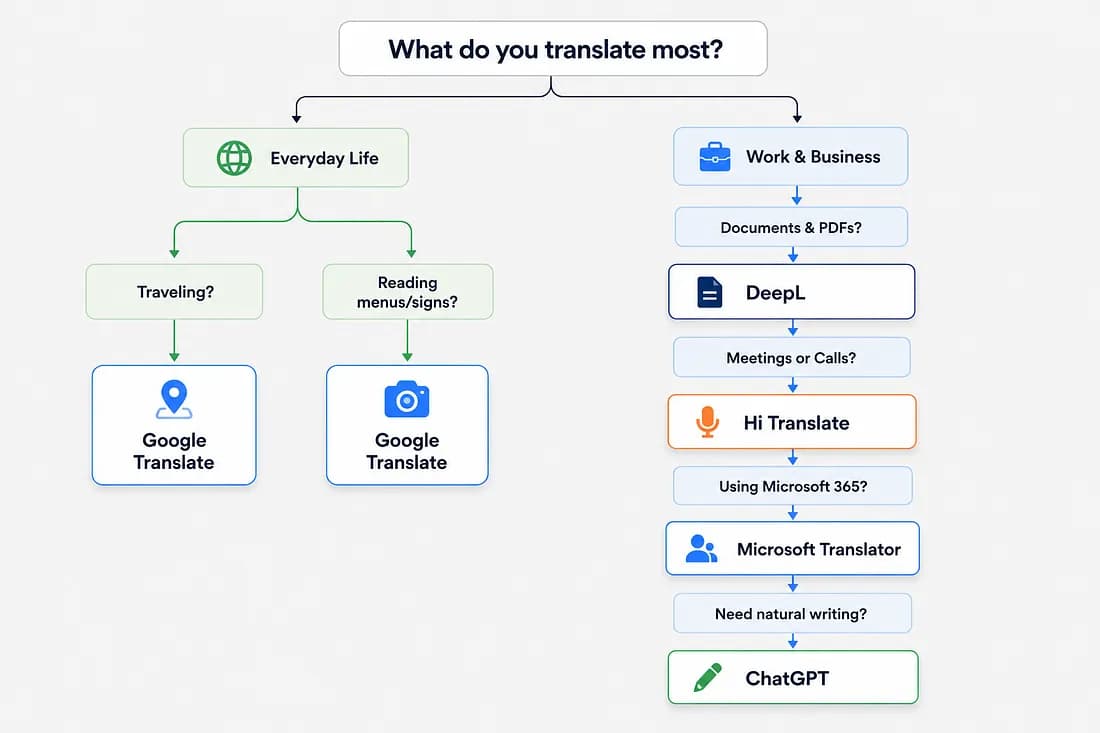 Press enter or click to view image in full size
Many people don't rely on just one app.
A common workflow looks something like this:
Google Translate + ChatGPTfor travel and polished communication.DeepL + ChatGPTfor professional writing and localization.Hi Translate + ChatGPTfor multilingual meetings followed by AI-assisted summaries and content refinement.Choosing the right combination is often more effective than looking for a single app that does everything.
Frequently Asked QuestionsIs AI translation good enough today?For most everyday situations, yes.
Modern AI translation apps are more than capable of handling travel conversations, restaurant menus, online shopping, social media, customer support, and everyday messaging.
For millions of people, AI has already replaced the need for traditional phrasebooks or basic translation dictionaries.
When should you hire a professional translator?AI continues to improve, but some situations still require human expertise.
Travel conversations → AI ✅
Restaurant menus → AI ✅
Social media posts → AI ✅
Business meetings → AI ✅ / Human △
Marketing campaigns → AI △ / Human ✅
Legal contracts → Human ✅
Medical documents → Human ✅
If a mistake would only be inconvenient, AI is usually enough. If a mistake could have legal, financial, or medical consequences, a professional translator is still the safer choice.
A simple rule works well:
If a mistake would only be inconvenient, AI is usually enough.
If a mistake could have legal, financial, or medical consequences, a professional translator is still the safer choice.
Can one translation app do everything?Not yet.
Each app has its own strengths because each solves a different problem.
Some are designed to help you understand another language.
Others help you communicate naturally.
And newer AI tools increasingly help you organize, rewrite, and act on multilingual information.
The best choice depends less on which app has the most features --- and more on how you communicate every day.
Final ThoughtsThe biggest change in translation over the past few years isn't that AI has become more accurate.
It's that translation is gradually disappearing.
Instead of opening a separate app, copying text, choosing languages, and pasting the result back into your conversation, today's best tools work quietly in the background --- whether you're reading a menu, joining a meeting, calling a client, or writing an email.
That's a much bigger shift than faster translations or larger language models.
It's a shift fromtranslating wordstoremoving language as a barrier altogether.
The best translation app isn't necessarily the one with the most features.
It's the one that disappears into the background --- so you can focus on
the conversation instead of the language.

相关文章
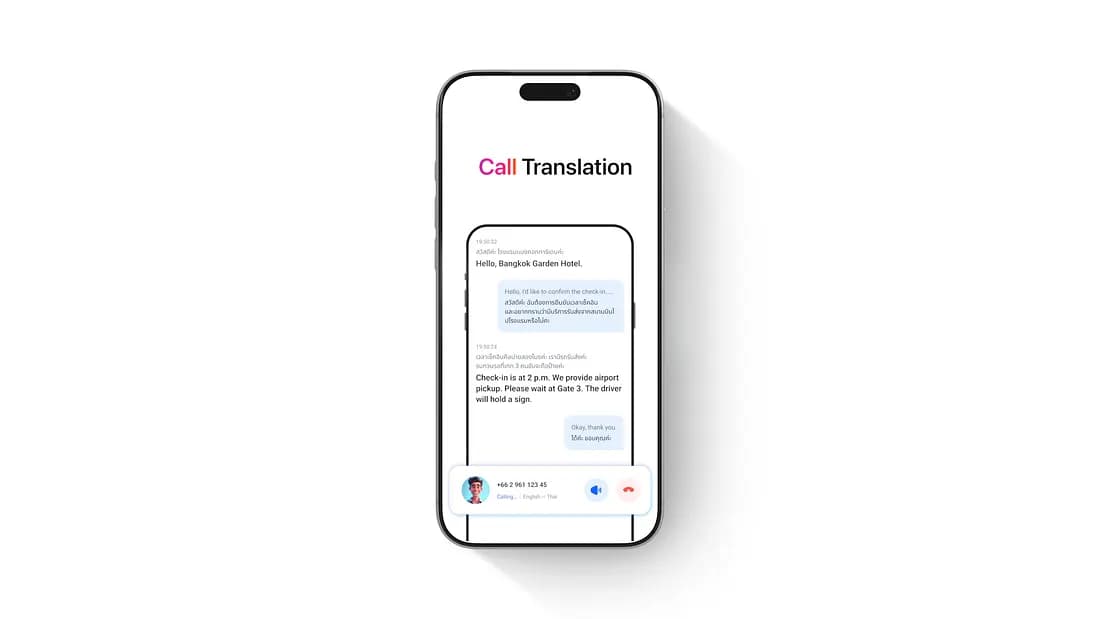
Hi Translate: Call Any Hotel Abroad in Your Own Language
You’ve booked a hotel in Bangkok. The day before departure, you want to call and confirm two things: what time check-in starts, and how to get from the airport to the hotel.
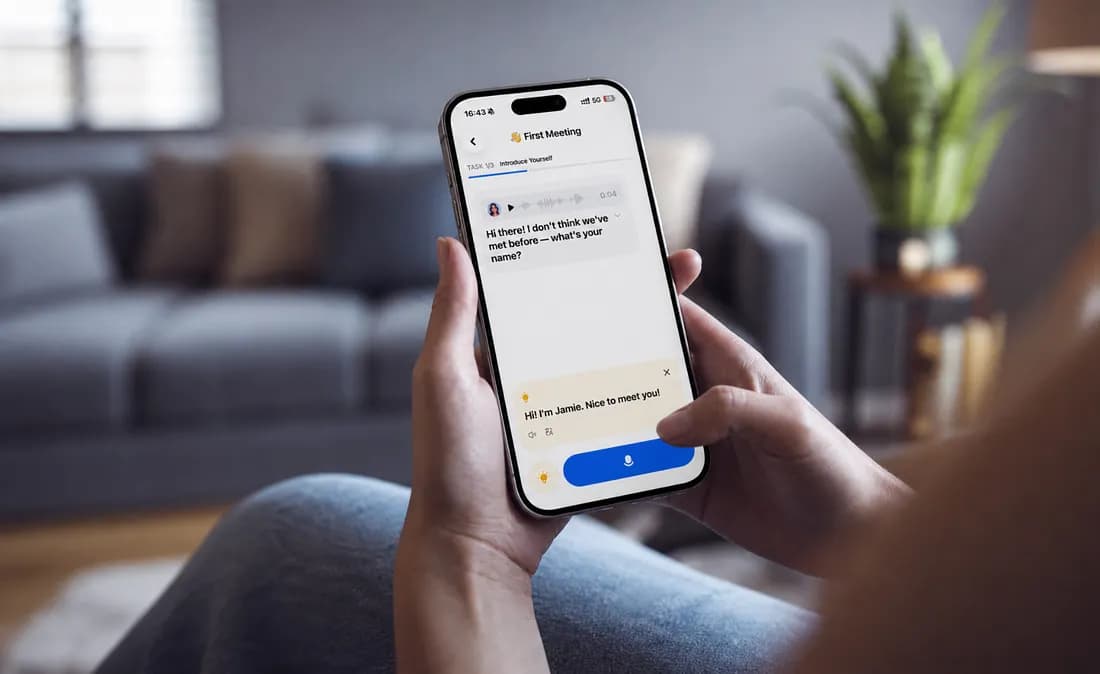
Real-Time Meeting Translation & AI Notes | Hi Translate
If you’ve ever walked out of a cross-language meeting thinking “I think I got the main points,” you already know the problem.