How to Translate WhatsApp Messages on Android
Hi Translate
2026-01-05 · 7 min read
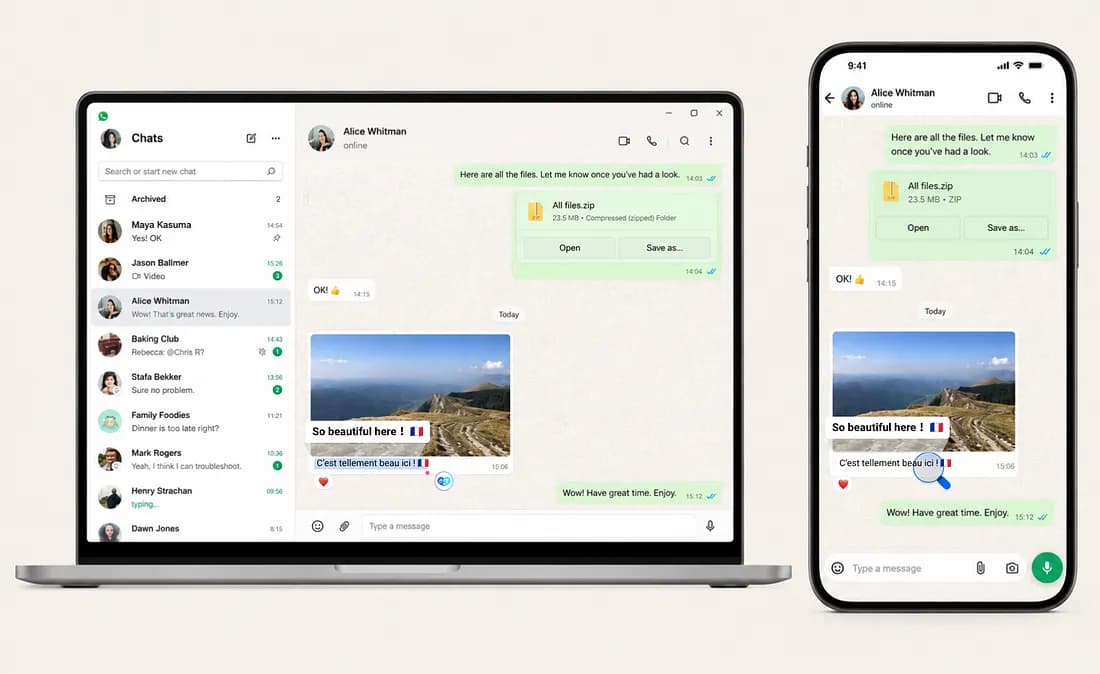
A message lands in your WhatsApp. It’s in Spanish. Or Arabic. Or Portuguese.
You need to understand it now — because it’s a client asking for a revision, or your cousin sending wedding details, or your Airbnb host confirming check-in.
So you do the dance.
Copy. Open Google Translate. Paste. Read. Copy again. Switch back.
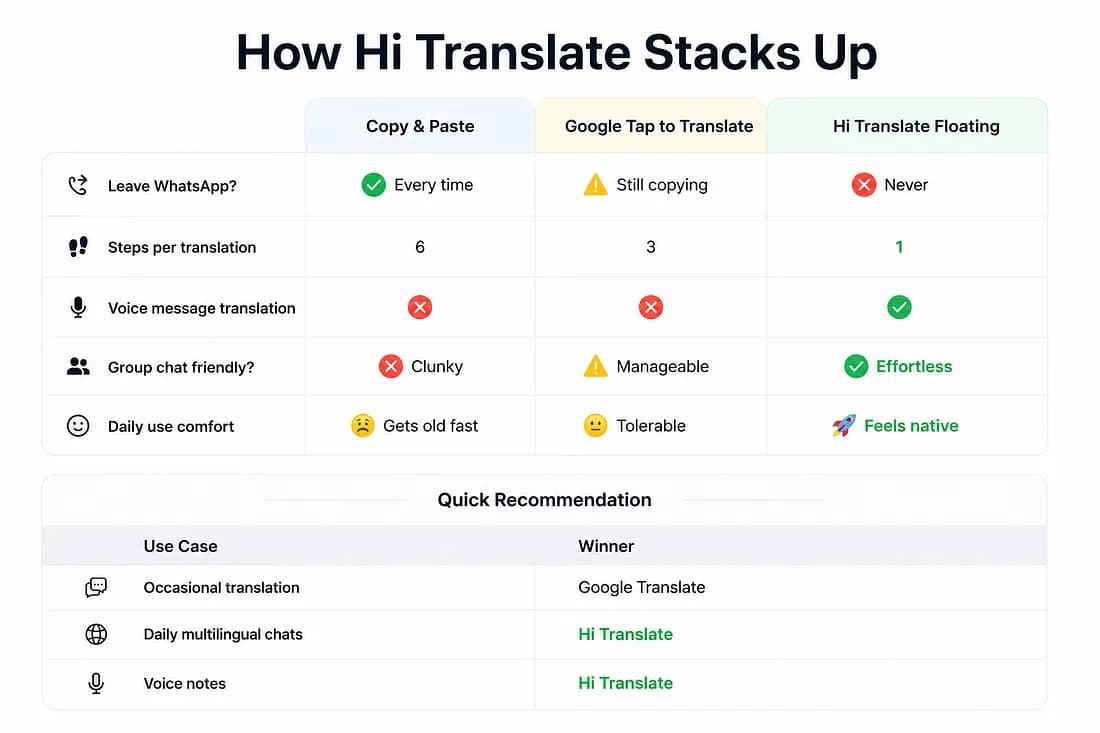
Six steps. Fifteen seconds.
Every.
Single.
Time.
If you only do this once a week, it’s barely a blip. But if you communicate across languages daily? Those fifteen seconds multiply into hours of pure friction. Your conversations don’t flow — they stutter.
Why Isn’t WhatsApp Translating My Messages Automatically?
This is one of the most-searched WhatsApp questions for a reason. A lot of people assume translation should just… be there.
The answer comes down to encryption. WhatsApp uses end-to-end encryption, which means Meta literally cannot see the contents of your messages — even if they wanted to build an automatic translator into the app. Some Android phones now offer system-level on-device translation in select apps, but there’s no universal solution that works consistently across every device, every language, and every chat.
So we’re all stuck using workarounds. And honestly? Most of them wear you down.
The Workarounds Everyone Uses (And Why They’re Exhausting)
Method 1: Copy and Paste
Copy the message. Jump to a translation app. Paste it. Read the result. Jump back to WhatsApp.
It works. Every translation app supports it — Google Translate, DeepL, ChatGPT, you name it. But it breaks your focus every single time. Fine for occasional use. Brutal for daily multilingual communication.
Method 2: Tap to Translate
Google Translate’s Tap to Translate is a noticeable upgrade. Enable it, and a floating icon appears whenever you copy text — no need to fully open the app.
It’s faster. But you still have to copy every message. One extra step might not sound like much until you’ve done it fifty times before lunch.
Neither one was designed for conversations. They were designed for translation.
Both share the same fundamental flaw: they treat translation as a separate task from chatting. But when you’re deep in a conversation, even one extra tap is one too many.
Method 3: Floating Translation (Recommended)
That’s exactly why we created the Floating Translation Assistant in Hi Translate.
Instead of making you come to us, we come to you.
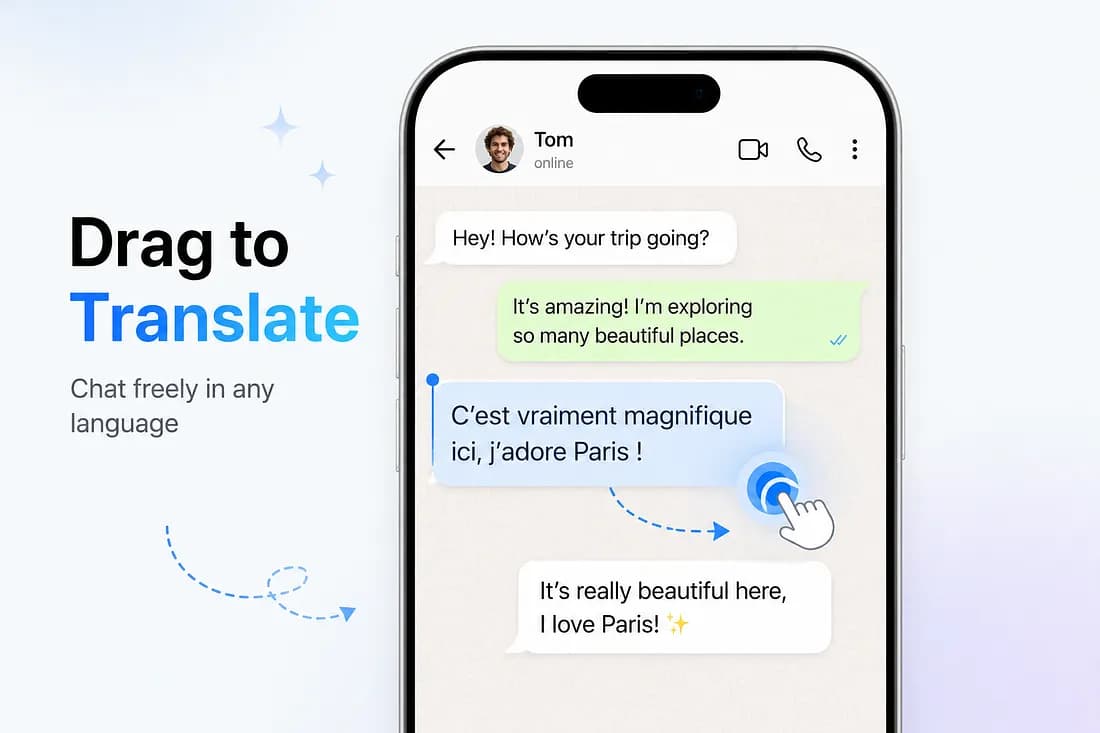
A small floating bubble stays on your screen while you use WhatsApp. When a message in another language appears, you drag that bubble onto it. Release. Done.
The translation shows up in a clean overlay, right on top of the original message. Your chat never leaves the screen.
How It Works
 Press enter or click to view image in full size
- Open WhatsApp.
- Press and hold the Floating Translation bubble.
- Drag it onto the message.
- Lift your finger.
- Read.
That’s it.
That’s it.
No app switching. No copy-paste. No broken conversations.
Why This Changes Everything
Traditional translation looks like this:
Traditional Workflow
Copy message → Open translator → Paste text → Read translation → Close translator → Return to WhatsApp
With Hi Translate
You just eliminated five steps. Not because we made translation faster — but because we removed everything around translation.
Over weeks and months, those saved seconds add up surprisingly quickly. But saving a few seconds isn’t the point.
Write on Medium
Staying in the conversation is.
Is Floating Translation Safe? Here’s What You Need to Know
We get it. A floating bubble that reads your screen sounds sketchy if no one explains it.
Hi Translate uses Android’s standard Accessibility Service to detect the text you choose to drag the bubble onto. These are the same permissions that password managers, screen readers, and dozens of everyday accessibility tools use.
Since Hi Translate only reads the content already displayed on your screen, WhatsApp’s end-to-end encryption remains intact. You’re always in control of what gets translated — nothing runs in the background without your input.
For details about how your data is handled, please refer to our Privacy Policy.
Bonus: Translate Voice Messages
Voice Messages, Translated
Text is only half the story. If you’ve ever tried deciphering a two-minute voice note from a friend sharing travel plans or a project update from your developer in São Paulo, you know the drill: replay, rewind, guess the word, replay again.
Drag the floating bubble onto the voice message. Hi Translate can translate it for you too. The full translation appears in an overlay within seconds.
No replaying five times. No guessing accents. Just read and reply.
For long voice notes, reading is often much faster than listening.
Voice messages are becoming just as common as text. Your translator should understand both.
This alone is a game-changer for:
- International business coordination
- Remote team check-ins
- Family group chats where voice notes are the default
- Long updates you’d rather skim than sit through
Compare the Three Methods
 Press enter or click to view image in full size
Where Else Can You Use It?
WhatsApp is just the beginning. The same floating bubble works in:
- Telegram — Perfect for international communities
- Instagram DMs — Understand comments and story replies
- Facebook Messenger — Coordinate with relatives abroad
- Any app with text — Screenshots, menus, documents, signs… if you can see it, you can translate it
One bubble. Every conversation. No boundaries.
Frequently Asked Questions
Why isn’t WhatsApp translating my messages automatically?
WhatsApp uses end-to-end encryption, which prevents Meta from accessing your message contents to perform automatic translation. While some Android devices offer system-level translation features, there’s no built-in universal solution — which is why most people rely on third-party tools like Hi Translate.
Does the other person know I’m translating their messages?
No. Translation happens entirely on your device and is triggered by you. The other person’s WhatsApp looks exactly the same on their end.
Does this work in WhatsApp group chats?
Yes. Drag the bubble onto any individual message in a group — yours, theirs, doesn’t matter. It’s especially useful for international teams and multilingual family groups.
What languages are supported?
140+ and counting. Hi Translate auto-detects the source language, so you don’t need to specify what you’re reading.
Can I translate images and screenshots shared in chats?
Yes. Hi Translate’s OCR engine extracts text from photos, menus, signs, documents, and screenshots shared through any app.
Does this work on iPhone?
Floating Translation currently works on Android because it relies on Android’s floating overlay capability. If you’re using iPhone, you can still translate messages with Hi Translate using other supported translation features.
Can I reply in another language with Hi Translate?
Yes. Type your message in your native language, then drag the floating bubble onto the text in the input box. Hi Translate will translate it into your recipient’s language instantly — you can review and send it without ever leaving WhatsApp. It makes back-and-forth multilingual conversations feel completely natural.
Ready to Try It?
The next time a message arrives in a language you don’t speak, don’t stop the conversation just to translate it.
Don’t copy it.
Don’t switch apps.
Just drag.
You’ll understand the message in seconds — and stay focused on the people you’re talking to, not the language they’re using.
If you’d like to experience Floating Translation yourself, download Hi Translate on Google Play and give it a try.
Translation should never interrupt a conversation.
Hi Translate makes sure it doesn’t.
Related articles
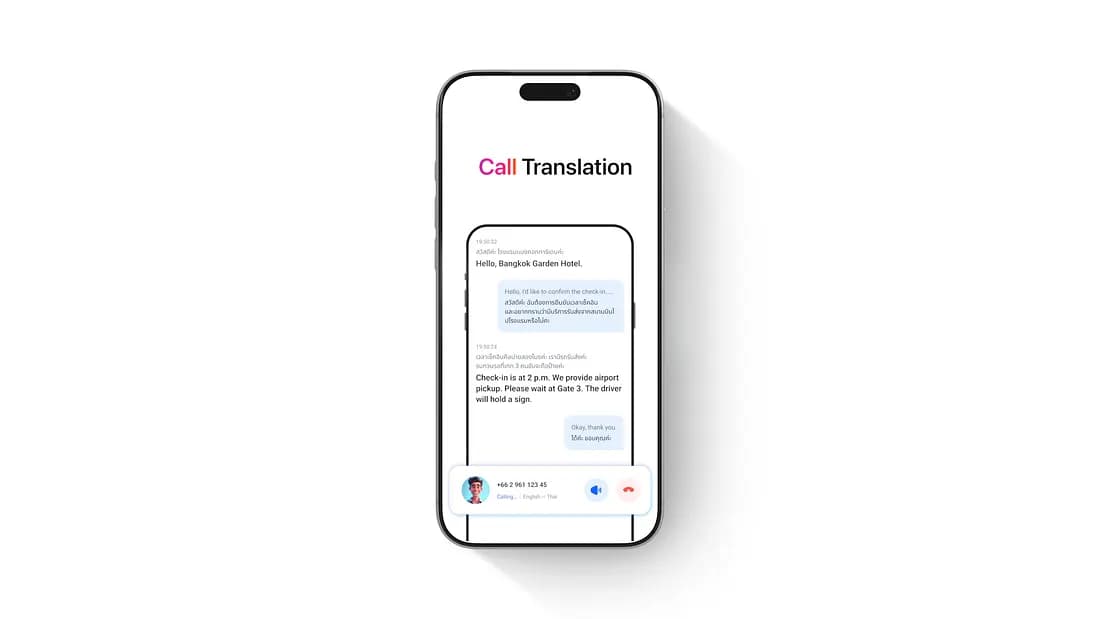
Hi Translate: Call Any Hotel Abroad in Your Own Language
You’ve booked a hotel in Bangkok. The day before departure, you want to call and confirm two things: what time check-in starts, and how to get from the airport to the hotel.
Real-Time Meeting Translation & AI Notes | Hi Translate
If you’ve ever walked out of a cross-language meeting thinking “I think I got the main points,” you already know the problem.